Free forever  ·  No credit card required

One workspace for your entire freelance business

Clients, projects, and invoices — all in one place. Replace Notion, spreadsheets, and Gmail threads in under 5 minutes.

Now with AI receipt scanning
Create your free account See it in action

Currently used by 5+ freelancers  ·  No setup required

Interactive demo
freelancestack.studio/app
Invoices
Collected
$12,400
this month
Awaiting
$3,200
2 invoices
Overdue
$850
1 invoice
InvoiceClientAmountStatusDue
#INV-024 Acme Corp $4,500 Paid Apr 15
#INV-023 Studio Noir $2,200 Pending Apr 28
#INV-022 Pixel Agency $850 Overdue Apr 1
Click a client name to see their full profile →
5 min
Average setup time
60 sec
To send your first invoice
$0
To get started — genuinely free
The problem

Your freelance tools are scattered.
Your business is paying for it.

Most freelancers run their business across 4 or 5 different apps. Nothing talks to anything else. Things fall through the cracks.

Notion
You built a client database that's already out of date
You spent 3 hours setting up a Notion workspace. Now it's stale, and you can't remember which clients owe you what.
Google Sheets
Every invoice takes 20 minutes to look professional
Copy the template. Fill in the details. Format the totals. Export as PDF. Attach to email. Forget to follow up. Repeat every time.
Gmail
Somewhere in your inbox is $800 someone forgot to pay
No payment tracker. No follow-up system. Just a thread you vaguely remember sending — two months ago.
Trello
Your project board has no idea your invoices exist
You track work in Trello and billing somewhere else. The connection exists only in your head — and you're already too busy to maintain it.
How it works

Three steps. That's all it takes.

Add a client. Add a project. Create an invoice. You're done in under 5 minutes.

1
Add a client
Name, email, and you're done. All future invoices and projects link to them automatically.
Under 1 minute
2
Add a project
Create a project, link it to the client, and track its status with a simple Kanban board.
Under 2 minutes
3
Create an invoice
Add line items, set the due date, and hit send. A professional PDF goes to your client's inbox right away.
Under 60 seconds
✦ Pro feature

Scan receipts. Track expenses. Know where your money goes.

Drag and drop a receipt or invoice and FreelanceStack reads it automatically. Vendor, date, amount and category filled in for you in seconds. Powered by AI, built for freelancers who hate manual data entry.

ADOBE INC.
Receipt #A-2024-01842
Creative Cloud$54.99
Tax$4.40
Total$59.39
2024-01-15
AI extracted
Vendor
Adobe Inc.
Amount
$59.39
Date
Jan 15, 2024
Category
Software & Tech
What's inside

Everything a solo freelancer actually needs.

Clients, projects, and your dashboard — all connected. No setup, no extra apps.
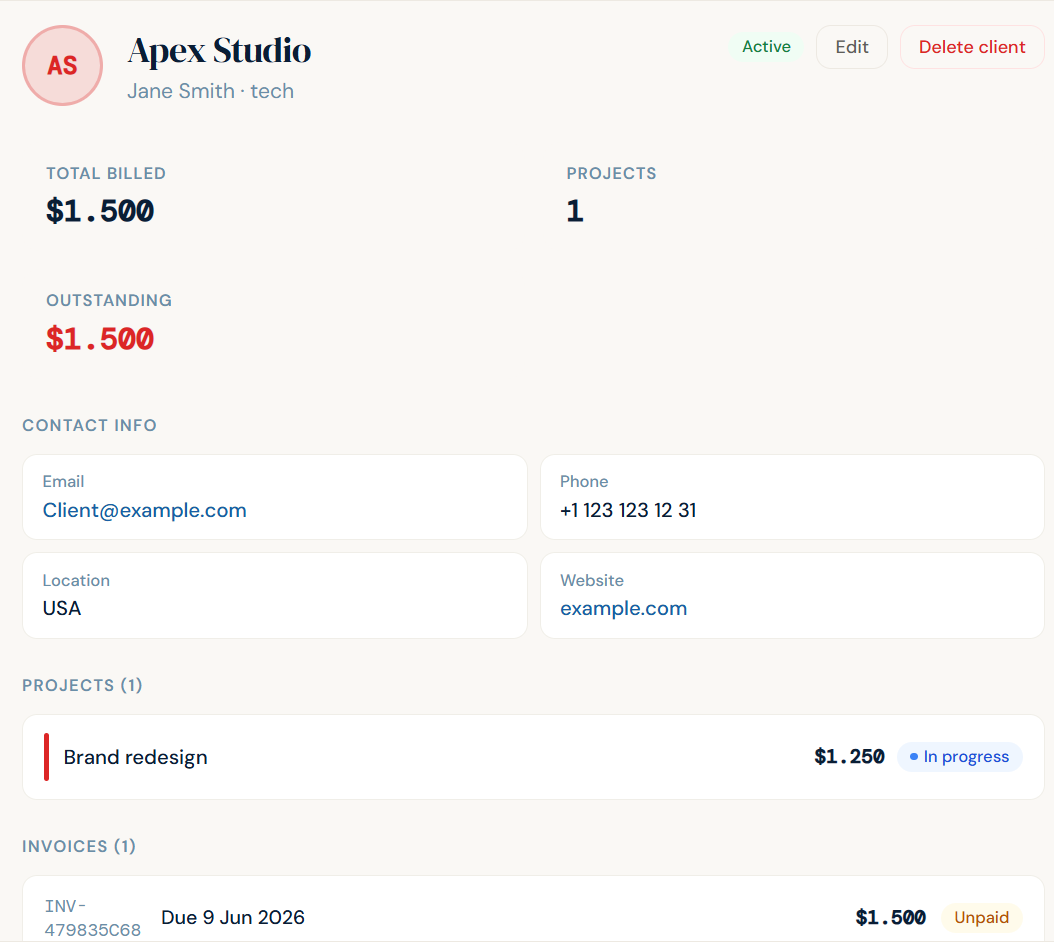
Clients view in FreelanceStack
Clients
Every client, their contact details, and their full history — every invoice, every project — in one place. No digging through email threads.
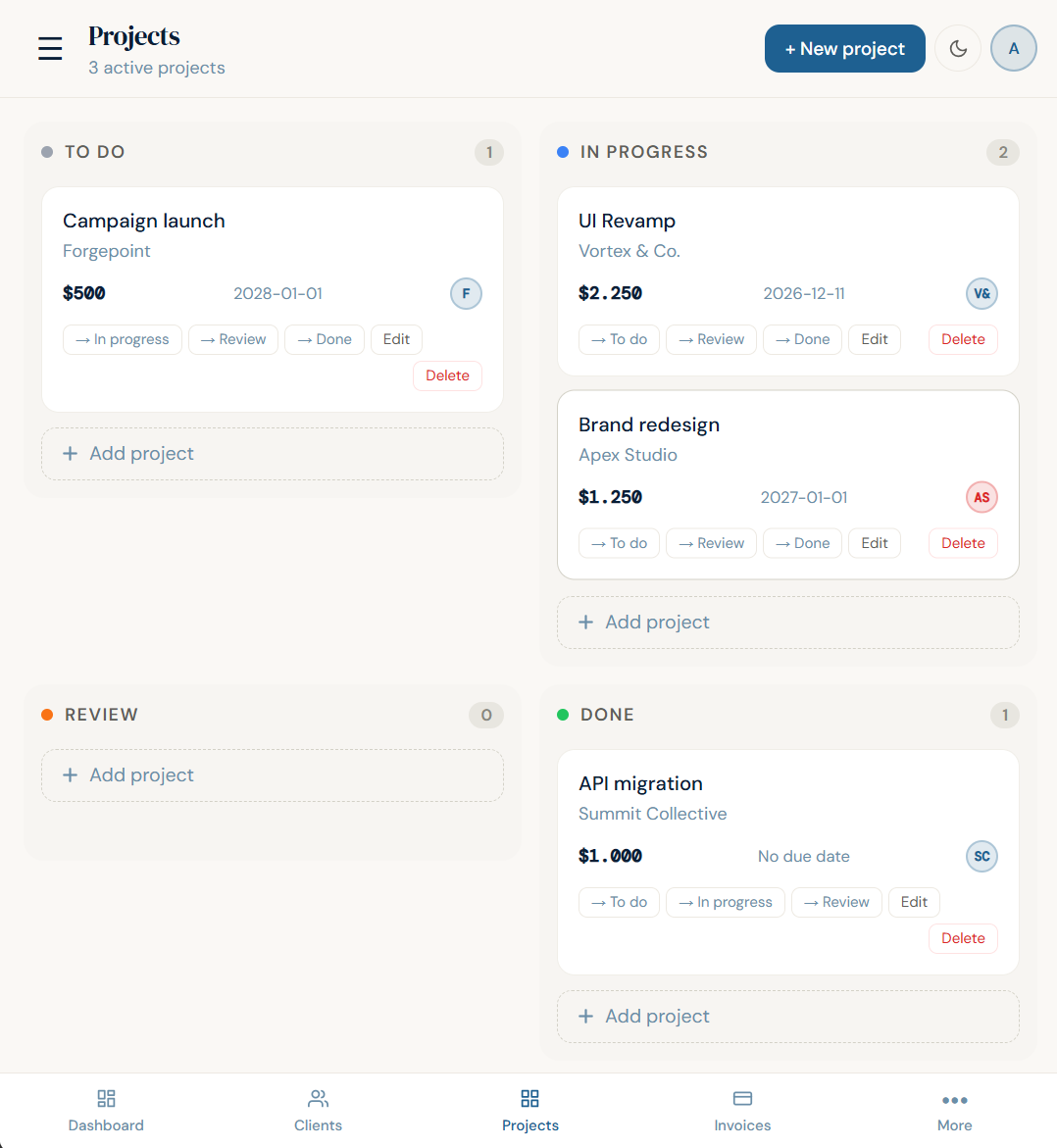
Projects kanban in FreelanceStack
Projects
Manage active work with a Kanban board. Link projects to clients so everything stays connected without any extra effort.
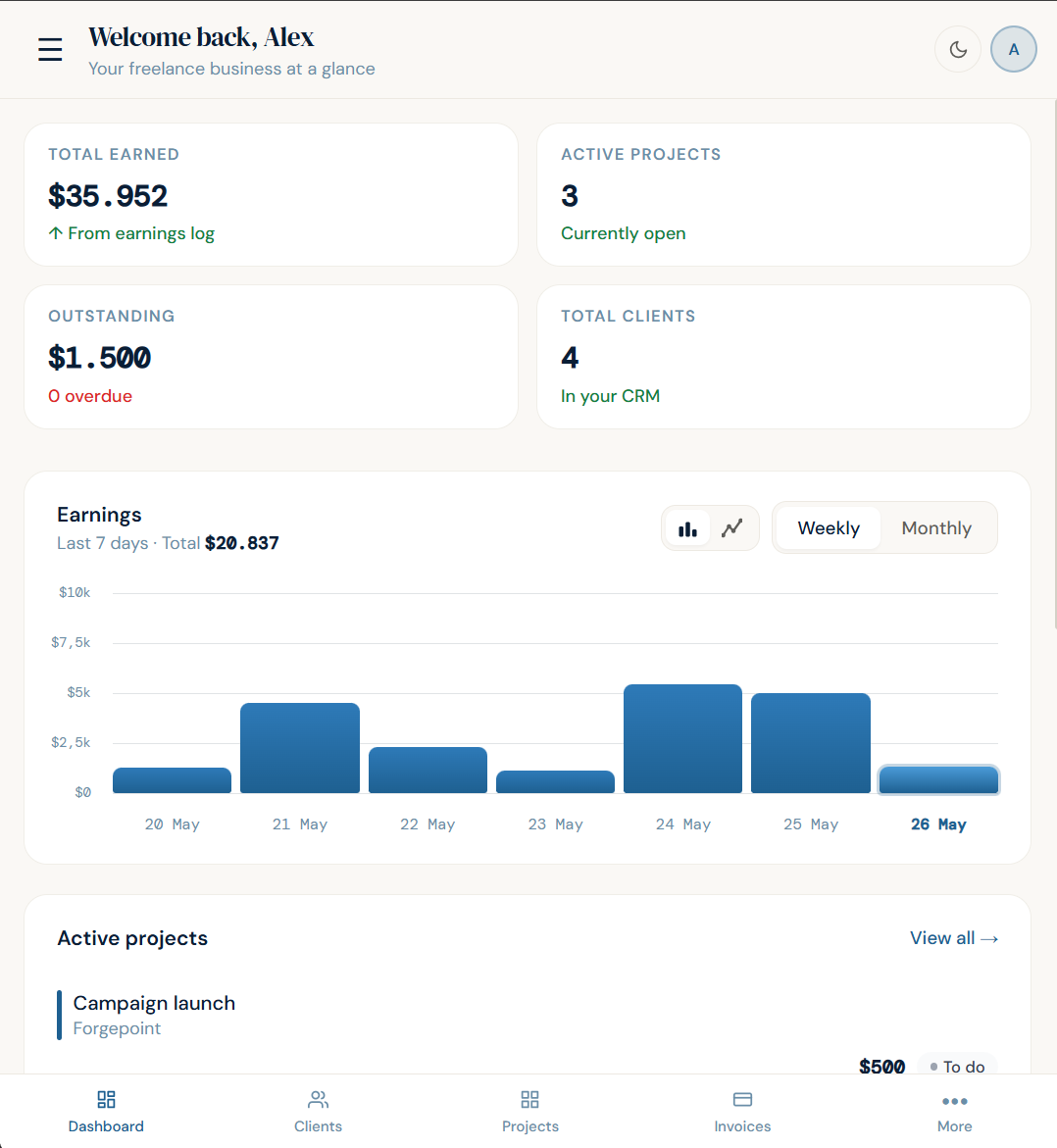
Earnings dashboard in FreelanceStack
Dashboard
Monthly earnings, outstanding invoices, active projects — the numbers you care about, without having to hunt for them.
This Month
$842
Top Category
Software
Adobe
$59.39
Uber Eats
$24.50
Notion Pro
$16.00
Expenses
Pro
Track every business expense in one place. Upload a receipt and AI fills in the details automatically. See your spending by category with a visual breakdown — so you always know where your money is going.
vs the alternatives

Not Notion. Not Trello. Not a spreadsheet.

Here's what actually matters for a freelancer running their own business.

Notion can't invoice your clients.
It's a note-taking tool. You'll spend more time building your workspace than running your business.
FreelanceStackNotion
Send invoices
Track paymentsManual
Client historyYou build it
Setup time5 minHours
Built for freelancers
Trello can't charge your clients.
Good boards, nothing else. The moment you need to send an invoice, you're back to Gmail and Sheets.
FreelanceStackTrello
Kanban boards
Invoicing
Client management
Payment tracking
Built for freelancers
Pricing

Free to start. $15 to go unlimited.

HoneyBook starts at $36/mo. Bonsai starts at $19/mo. This is $15 — and does what most freelancers actually need.

Free
$0
forever
For freelancers just getting started. No credit card, no trial, no expiration.
  • Up to 10 clients
  • Unlimited invoices
  • PDF download & email notify
  • Project Kanban board
  • Payment status tracking
  • Earnings dashboard
  • Priority support
Create your free account
Most popular
Pro
$15
/ month
For freelancers who've outgrown 10 clients.
  • Unlimited clients
  • Unlimited invoices
  • PDF download & email notify
  • Project Kanban board
  • Payment status tracking
  • Earnings dashboard
  • AI receipt scanning
  • Priority support
Upgrade to Pro →
Who built this

Built by a solo student founder

I'm a student from Turkey. I built FreelanceStack because the tools solo freelancers were using — Notion, Sheets, Gmail — were never designed for the job. There was no simple, affordable workspace built specifically for them. So I made one.

This is early access. It's not perfect. But it does exactly what freelancers need: manage clients, track projects, and send invoices without thinking about it.

No VC money. No enterprise roadmap. Just a tool built for the people who actually need it.

— Nazım, solo founder of FreelanceStack.studio

Stop managing your freelance
business in 4 apps.

Add your first client in under 2 minutes.

Create your free account
Questions

Common questions

Why not just use Notion?

Notion can't send invoices. It can't track which clients owe you money. You'll spend more time building your Notion workspace than running your business. FreelanceStack is pre-built — open it and it works.

Is this free?

Yes. The free plan is genuinely free — no credit card, no trial, no expiration. You get up to 10 clients, unlimited invoices, and full project tracking. Upgrade to Pro for $15/mo when you need unlimited clients or the earnings dashboard.

Is this only for solo freelancers?

Yes. FreelanceStack is built for solo freelancers — designers, developers, writers, consultants. If you're an agency or a team, this isn't the right tool for you. It's intentionally simple for people who work alone.

How does invoicing work?

Pick a client, add line items, set the due date, and hit send. FreelanceStack sends a text email to your client and generates a PDF you can download and forward manually. Track the status — pending, paid, overdue — in your dashboard and follow up in one click if needed.

Can I cancel my Pro subscription at any time?

Yes. Cancel any time from Settings → Subscription. You keep Pro access until the end of your billing period. No cancellation fees, no questions asked.

Is my data safe?

All data is stored via Supabase with row-level security — only you can access your records. Authentication uses secure magic links or OAuth. Your password is never stored.
Create your free account — takes 2 min →